Claude는 모션 그래픽 영상을 어떻게 만드나
영상 모델은 쓰지 않습니다. Opus는 애니메이션을 코드(SVG와 JavaScript로 된 웹 페이지, React나 Remotion 프로젝트, 가끔 Three.js)로 작성하고, 헤드리스 브라우저로 한 프레임씩 넘기며 ffmpeg로 영상을 만듭니다. 음악과 효과음도 코드로 합성합니다.
모든 프레임이 시간의 함수라서 루프가 정확히 이어지고, 소리가 원하는 프레임에 딱 맞습니다. 글자도 선명하고 정확해서 제품명, 가격, UI 문구가 틀리지 않습니다.
- Deedy Das의 런칭 영상은 JavaScript, Playwright, ffmpeg만으로 만들었고 API 비용은 약 2달러였습니다.
- Ethan Mollick의 재귀 영상은 모든 장면을 React와 SVG로 그리고 음악은 Python으로 합성했습니다.
- Sarutobi Sasuke의 칵테일 설명 영상은 SVG와 순수 JavaScript로 된 HTML 파일 하나로, 애니메이션 라이브러리 없이 약 25분 만에 완성됐습니다.
Claude Code에서 만드는 법
빈 폴더에서 Opus 5.5로 Claude Code 시작
skill이나 플러그인을 하나도 설치하지 않았다는 작성자가 여럿입니다. Opus가 도구를 직접 고르고 필요한 것을 설치합니다.
mkdir launch-film && cd launch-film
claude --model claude-opus-5-5
프롬프트와 제품 정보를 주기
사이트 주소를 붙이면 페이지를 읽고 대본까지 직접 씁니다. 로고 파일, 스크린샷, 참고 영상이 있으면 분위기를 맞추기 쉽습니다.
make a dynamic 15-second motion graphics video that shows what an incredible motion designer you are for https://your-site.com. Visit the pages first to learn about the product, then write the video content yourself. Go all out.렌더링 맡기기
길이와 effort에 따라 몇 분에서 한 시간 반까지 걸립니다. MP4가 저장된 위치를 알려 달라고 해 두세요.
보고 나서 아쉬운 점을 분명히 말하기
Sacha Arbonel의 첫 버전은 너무 빠르고 음악도 약했지만, 직설적인 후속 지시 한 번에 훨씬 좋아졌습니다. 템포를 늦추거나, 저작권 없는 음악으로 바꾸거나, 화면 비율을 바꿔 달라고 하세요.
모두가 따라 쓴 프롬프트
아래 영상 상당수는 X에서 돌던 같은 짧은 프롬프트에서 시작합니다: make a dynamic 15-second motion graphics video that shows what an incredible motion designer you are. 작성자들이 자주 덧붙인 것:
- 제품이나 사이트: "for <내 URL>", 또는 "먼저 페이지를 보고 제품을 이해한 다음, 영상 내용은 직접 써".
- 기준점: "네 쇼릴처럼", "전력을 다해(go all out)", "고급 개발자 도구 런칭 필름", "애플 스타일".
- 분위기나 소리: "사이키델릭하고 최면적으로", 또는 "오펜하이머 테마 음악을 참고하되 직접 작곡해".
- 금지 사항: "AI가 만든 티가 나는 모서리 프레임과 작은 글자는 피해".
- 참고 자료: 로고, 이미지 한 장, 손그림 스케치, 따라 할 다른 영상.
제품 런칭 영상
실제 제품의 런칭 영상, 기념 영상, 피치. 대부분 프롬프트 하나로.
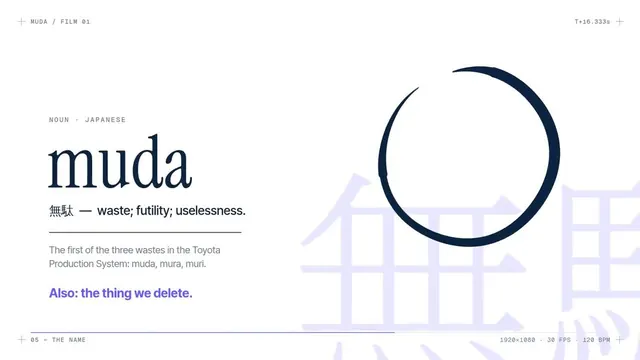
Muda: 추론 스타트업 런칭 영상, 1분 만에 약 2달러로
Deedy (@deedydas) · Claude Opus 5.5 · 3.3천 좋아요 · 35.4만 조회
"추론은 대부분 기다림이었다. 이제는 아니다." 처리량이 오르면서 요청 그리드가 차례로 켜지고 마지막에 브랜드가 등장합니다. 영상 모델도 추가 라이브러리도 없이, Claude가 웹 페이지 애니메이션을 만들고 Playwright와 ffmpeg로 녹화했습니다.
프롬프트 보기(원문)
make a modern slick and punchy video for a modern startup that works on inference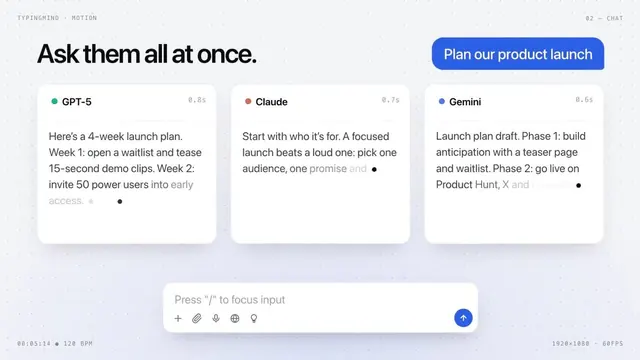
TypingMind: 외주와 4주 주고받던 일을 프롬프트 하나로
Ann Nguyen (@ann_nnng) · Claude Opus 5.5 · 984 좋아요 · 10.3만 조회
Opus가 제품 페이지를 읽고 대본을 쓴 뒤, 채팅창 하나로 여러 모델에 동시에 묻는 모습을 애니메이션으로 만들었습니다. 프롬프트 하나, Claude Code에서 1시간 가까이, skill은 설치하지 않았습니다.
프롬프트 보기(원문)
Make a dynamic 15-second motion graphics video that shows what an incredible motion designer you are. The content should focus on [your product]. You should visit the pages first to learn about the product, then write the video content yourself.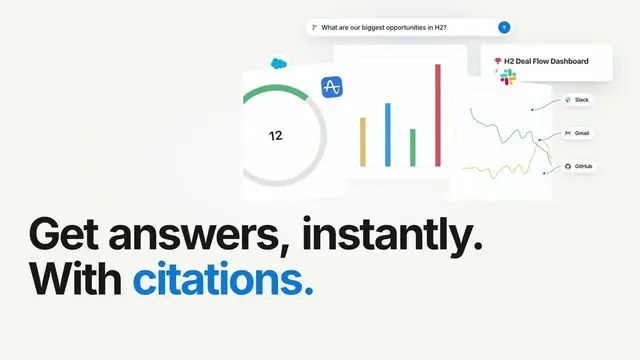
Opus가 직접 고른 제품, Notion 런칭 영상
Moritz Kremb (@moritzkremb) · Claude Opus 5.5 · 444 좋아요 · 10만 조회
"잘 알려진 SaaS를 골라 전문적인 런칭 영상을 만들어"라고만 했더니 Opus가 Notion을 고르고, 웹에서 실제 자료를 가져와 세련된 기능 소개 영상으로 편집했습니다.
프롬프트 보기(원문)
I want you to create a highly professional SaaS product launch video. Go and find some SaaS, preferably just one that people know, so it's easier to identify with it. Pick that, and then make sure to get actual assets and images and all of that stuff from the internet. Turn it into these typical, very professionally edited, motion-graphics-styled product launch videos that you see people making on Twitter when they launch new SaaS products (which are showing off the features, the benefits, and all of these things).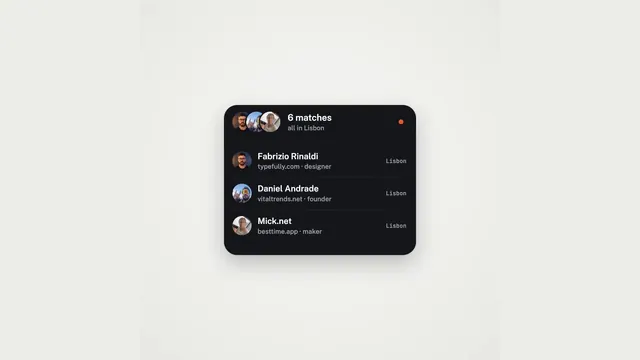
MakerMap: 도형 하나가 제품 전체를 변형하며 지나간다
Martijn Verbove (@verbove) · Claude Opus 5.5 · 243 좋아요 · 1.8만 조회
20초 동안 도형 하나가 가입, 지도 핀, 지구 위 3,393명의 메이커, 매칭, 검색으로 차례로 바뀝니다. 스프링, 커서, 모션 블러는 모두 HTML 파일 하나 안의 결정론적 계산입니다.
프롬프트 보기(원문)
<inputs>
Ask me for:
• my product + URL
• 8–12 UI states that tell its story
• the real data shown in each state
• brand colors + fonts + accent color
• required formats (1:1, 16:9, 9:16)
</inputs>

<rules>
One HTML file. One canvas
One draw(t) function

No CSS transitions
No timers
No state carried between frames

One shape, never cut

Every state is the same element changing size, radius and color while the content swaps

A cursor drives the sequence with real clicks, typing and one drag

Real UI. Real data. No placeholders.

</rules>
<structure>
120 BPM grid

Something happens on every bea

logo → button → handle field → “is this you?” → loader → pin → globe filling with users → matches → tabs → RSVP → search → logo

</structure>

<motion>
Closed-form springs everywhere with only a tiny overshoot.

If a value changes target multiple times, sum one spring per change

Content enters after its container starts morphing and leaves before the next morph so text never overlaps

Use a short blur on transitions

Never fade black directly into the accent color. Move an accent element between states instead

Make tab indicators stretch by putting each edge on a different spring

Zoom the camera so every state fills the frame

Make the last frame equal the first so the whole thing loops
</motion>

<export>
First render one frame per beat as a contact sheet

Fix anything cramped or broken

Then render every frame in headless Chrome at 60fps, averaging 6 subframes for motion blur

Pipe into ffmpeg:
H.264 + yuv420p

Export all aspect ratios in parallel
</export>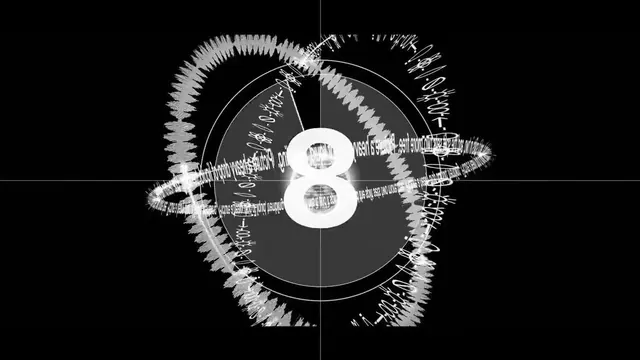
오펜하이머풍 음악을 입힌 Distilbook
Ajith (@ajith_io) · Claude Opus 5.5 · 62 좋아요 · 5.1천 조회
'핵분열'과 '핵융합' 두 장으로 구성됩니다. 수많은 금빛 페이지가 제목으로 모이고, 카운트다운과 폭발이 이어집니다. 음악은 영화 테마를 참고해 Opus가 직접 작곡했습니다.
프롬프트 보기(원문)
Make a dynamic 40-second motion graphics video on Distilbook that shows what an incredible motion designer you are, like it's your showreel - go all out. Use the Oppenheimer theme music as inspiration, but compose it yourself.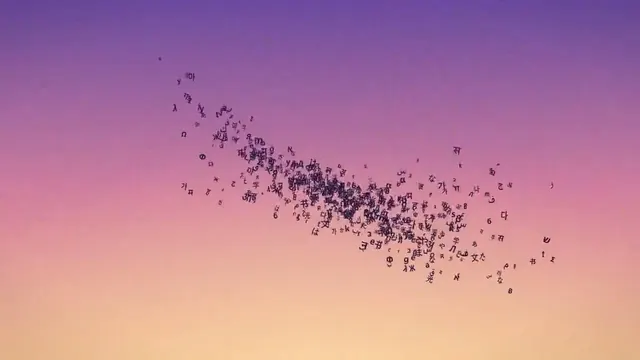
Distilbook: 필름 띠가 소용돌이치며 터널로
Ajith (@ajith_io) · Claude Opus 5.5 · 61 좋아요 · 1.4만 조회
무지개색 필름 띠가 화면을 가로질러 빛나는 터널로 감겨 들어갑니다. 참고 영상의 스타일을 따랐고, 최종본에 수작업 수정은 없습니다.
프롬프트 보기(원문)
Take reference from the given video (download it) and use the same visual style.
and Research about Distilbook. Make a dynamic 30-second motion graphics video on Distilbook that shows what an incredible motion designer you are. like it's your showreel - Go all out.
One thing to keep in mind: it should be cool as fck.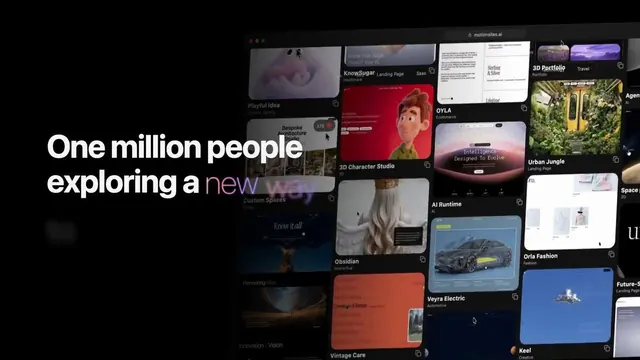
MotionSites, 월 방문자 100만 돌파
Viktor Oddy (@viktoroddy) · Claude Opus 5.5 · 110 좋아요 · 1.1만 조회
카운터가 100만까지 치솟는 기념 영상. 4분 만에 한 번에 나왔고 수정은 한 곳뿐이었습니다.
프롬프트 보기(원문)
Create a launch video for MotionSites AI, just hit 1 million monthly visitors after 8 months after launch.
Famewall: 마스코트를 스스로 찾아 넣었다
Goutham Jay (@gouthamjay8) · Claude Opus 5.5 · 86 좋아요 · 7천 조회
고객 후기 수집 도구의 런칭 영상. Opus가 사이트의 SVG를 뒤져 마스코트를 찾아냈고, 시키지 않았는데도 영상에 넣었습니다.
프롬프트 보기(원문)
I want you to create a highly professional SaaS product launch video. Go and look up [website] Pick that, and then make sure to get actual assets and images and all of that stuff from the internet. Turn it into these typical, very professionally edited, motion-graphics-styled product launch videos that you see people making on Twitter when they launch new SaaS products (which are showing off the features, the benefits, and all of these things). It should show what an incredible motion designer you are, like it's your showreel for a resume. Go all out.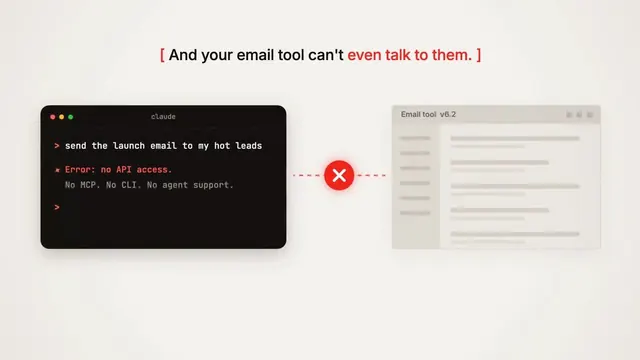
Lumail: AI 에이전트가 직접 운영하는 이메일 마케팅
Melvyn (@melvynx) · Claude Opus 5.5 · 86 좋아요 · 3만 조회
메일을 열지 않는 연락처의 점 그리드와 계속 오르는 청구액을 보여 준 뒤 본론으로. skill 없이 프롬프트만으로 10분 안에 완성.
프롬프트 보기(원문)
make a dynamic 15-second motion graphics video that shows what an incredible motion designer you are for <website url>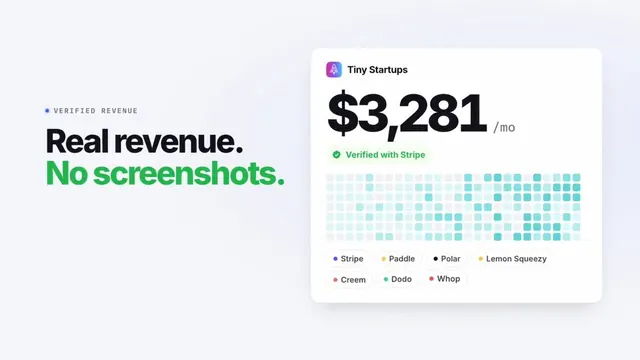
founder.page: 20초에 모든 기능을
Jaisal (@RatheeJaisal) · Claude Opus 5.5 · 29 좋아요 · 3.2천 조회
빠르고 브랜드에 맞는 런칭 영상, 실시간 매출과 방문자 카운터 포함. Claude Code에서 한 번에 완성.
프롬프트 보기(원문)
build me a beautiful launch video 20 seconds or under that shows all our key features, make it fast paced and fit our brand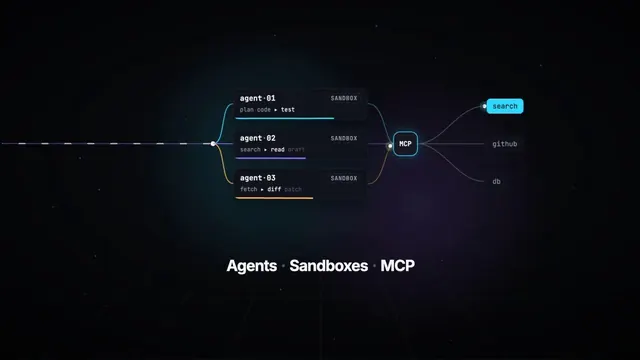
TanStack AI: 개발자 도구 런칭 필름
Shivay Lamba (@HowDevelop) · Claude Opus 5.5 · 25 좋아요 · 4.4천 조회
Opus 5.5와 Remotion으로 제작. 키노트 오프닝에 쓸 만한 고급 런칭 필름을 요구하는 긴 브리프 하나에서 시작했습니다.
프롬프트 보기(원문)
Create and render a 15-second motion graphics video introducing TanStack AI. Make it feel like a premium
  developer-tool launch film produced by Studio1: fast, precise, visually surprising, and polished enough to open a
  keynote or lead a social campaign.

  Use the TanStack AI feature details below as the source of truth. Studio1 is presenting the film; do not imply
  Studio1 built TanStack AI.

  Format and deliverables
  - 1920×1080, 30 fps, exactly 15 seconds; keep important content within a 9:16-safe central area.
  - Deliver the rendered MP4 and the editable project/source. Use Remotion or another code-based motion graphics
  workflow if available.
  - Use real, editable typography and vector-style graphics. Do not rely on AI-generated text inside images.
  - Add an original electronic sound design: a restrained opening pulse, tightly synchronized transition hits, rising
  - Add an original electronic sound design: a restrained opening pulse, tightly synchronized transition hits, rising
  momentum, and a satisfying final resolve. The story must also work muted.

  Visual direction
  Dark graphite canvas; luminous gradients and controlled flashes inspired by TanStack’s identity. Crisp typography,
  kinetic code, layered interface fragments, streaming data, branching paths, and smooth camera moves with convincing
  depth. High contrast and immaculate spacing. Every transition should visually demonstrate a feature, rather than
  simply replace one title card with another. Keep all on-screen wording brief and legible. Avoid generic stock
  footage, spinning logos, fake dashboards, excessive glitch effects, and tiny code nobody can read.

  Exact 15-second sequence
  - 0:00–0:02 — Hook: A single prompt cursor blinks. It sends one signal that expands into a network of
  possibilities. On-screen: “What can one AI API become?”
  - 0:02–0:04 — Core and providers: The signal resolves into chat(); provider nodes connect and swap rapidly without
  breaking the central flow. On-screen: “chat() · 24 providers”
  - 0:04–0:06.5 — Multimodal: One continuous stream transforms into text, waveform, image frame, and video timeline.
  On-screen: “One pattern. Every modality.”
  - 0:06.5–0:09 — Agents and tools: The stream branches into sandboxed agent runs, then reaches external tools
  through MCP. Show distinct runs progressing in parallel. On-screen: “Agents · Sandboxes · MCP”
  - 0:09–0:11.5 — Reliability: An interrupted stream freezes, reconnects, and resumes from the same point; a clean
  type-check confirmation snaps into place. On-screen: “Persistent. Durable. Type-safe.”
  - 0:11.5–0:15 — Reveal: All paths converge into a bold final composition: “TanStack AI” followed by “Build what’s
  next.” Add a small “A Studio1 film” credit, visually subordinate to TanStack AI. Hold the final frame long enough
  to read it.

  Accuracy guardrails
  The supplied article says TanStack AI is in the release candidate phase, supports 24 providers, uses AG-UI, and
  offers composable chat(), media generation, sandbox and agent-harness primitives, MCP, type safety, persistence,
  and resumable streams. Do not call it a stable v1 release. Do not present planned orchestration features as already
  shipped.

  Make the video, inspect the rendered result, and fix any clipped text, weak transitions, mistimed beats, or
  unreadable frames before delivering it. The goal is a memorable showreel, not a slideshow of feature bullets.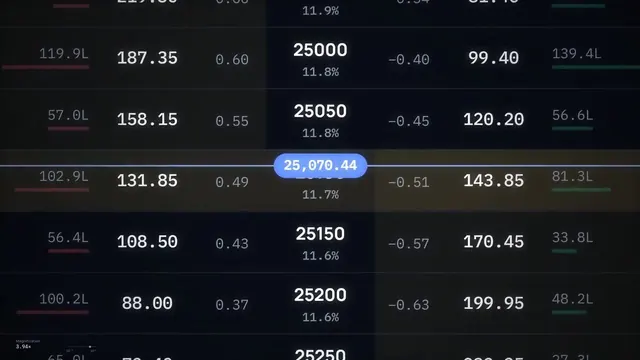
우주의 한 점까지 줌아웃하는 트레이딩 터미널
Dale Vaz (@dale_vaz) · Claude Opus 5.5 · 23 좋아요 · 2.8천 조회
점 하나에서 차트, 포지션, 옵션 체인이 나타나고, 데스크톱이 우주의 점이 될 때까지 멀어졌다가 휴대폰 화면으로 돌아옵니다. 한 번에 완성.
프롬프트 보기(원문)
create a self contained aesthetically pleasing, breathtaking animation of the Sahi Trading Terminal. it should start with a single dot on a black screen and then have multiple windows show up on the screen such as Charts, Positons , Option Chain, Watchlist. And zoom into and out at multiple scales. Finally the camera zooms out to make the desktop look like a point in space. And then it zooms back in to reveal a mobile screen in landscape mode with a chart in one half and an option chain in another. The video ends in Sjngle Screen Trading on SAHI
use javascript for it. be detailed and accurate. it should be visually stunning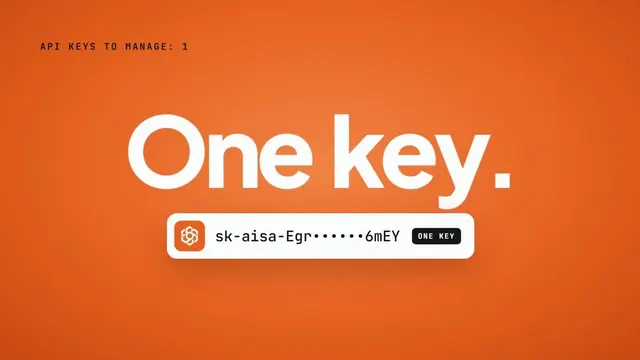
AIsa: 수많은 API 키가 하나로
Rafael (@0xfemyn) · Claude Opus 5.5 · 9 좋아요 · 669 조회
쏟아지는 키 이름이 주황색 키 하나로 모입니다. 프롬프트 하나, 한 번에 완성.
프롬프트 보기(원문)
make a dynamic 15-second motion graphics video for AIsa. Go all out.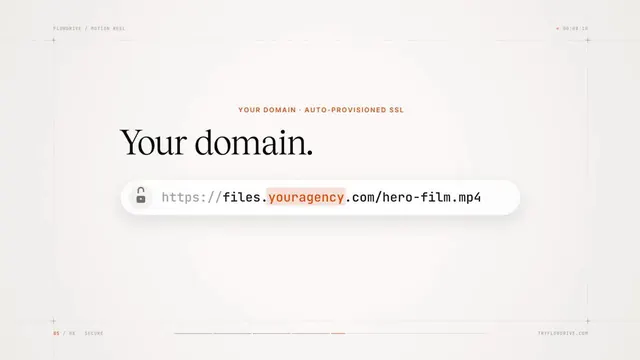
Flowdrive: 4K 스트리밍, 어디로든 전송
Manuel Ogomigo (@manuelogomigo) · Claude Opus 5.5 · 6 좋아요 · 1.7천 조회
파일 전송 서비스의 어둡고 매거진 같은 영상. 겹겹의 지형, 빛나는 점 지구, 커스텀 도메인. skill 없이, 소리를 켜고 보세요.
프롬프트 보기(원문)
make a dynamic 15-second motion graphics video that shows what an incredible motion designer you are, like it's your showreel for a flowdrive. go all out.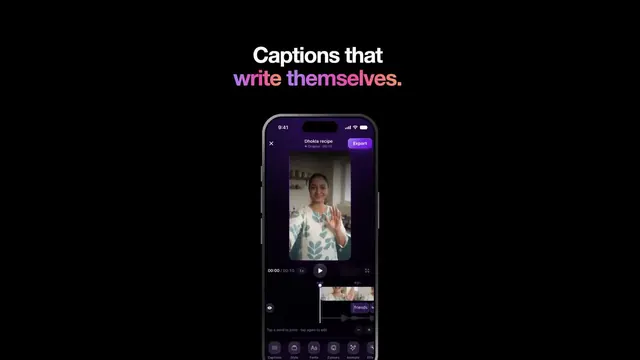
Matra: 애플 스타일 앱 소개 영상
Gautam (@gautam_mer1) · Claude Opus 5.5 · 4 좋아요 · 255 조회
Remotion과 React로 만든 30초 영상. SF Pro 서체, 티타늄 iPhone, 실제 목소리에 단어 단위로 맞춘 자막, 그리고 음악.
프롬프트 보기(원문)
an Apple-style 30s video of my app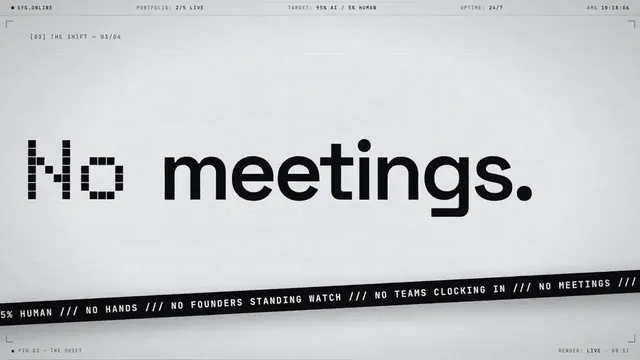
No Hands Labs: 스스로 만들어지는 회사
iamrobinvv (@robvjourney) · Claude Opus 5.5 · 2 좋아요 · 247 조회
검은 바탕의 라임색 글자와 도트 매트릭스 95%로 AI가 운영하는 회사를 만드는 스튜디오를 소개합니다.
프롬프트 보기(원문)
Can you make a 15-second motion graphic video of https://nohandslabs.com? Go ALL OUT and make the most badass video you possibly can use everything you've got.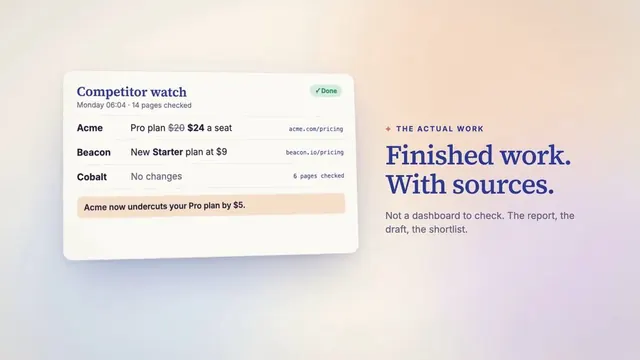
norilu: 계속 돌아오는 일을 맡기세요
Sacha Arbonel (@sachaarbonel) · Claude Opus 5.5 · 12 좋아요 · 2.4천 조회
Opus가 pen.dev MCP로 작성자의 디자인을 읽고 차분한 런칭 영상을 만들었습니다. 직설적인 후속 지시 한 번에 음악과 템포가 훨씬 좋아졌습니다.
프롬프트 보기(원문)
Create a professional product launch video with motion graphics. You have access to the designs in pen

Follow-up:
It is better, but can you choose a royalty-free song online? You are clearly not a good song maker. Also, I would not hire you or pay you for this as a motion designer. This is not a professional-looking video. Also, it is a bit too fast and bumpy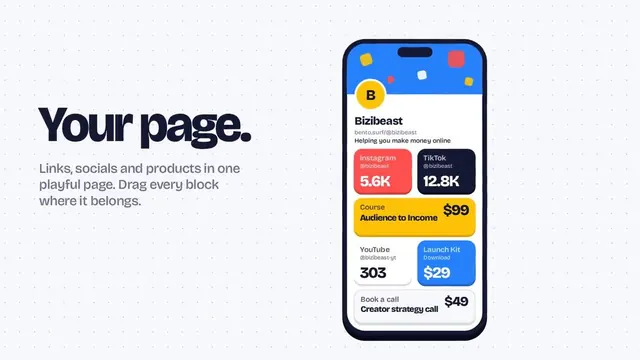
Bento.surf: 40초 제품 영상
Yash Gawde (@bizibeast) · Claude Opus 5.5 · 7 좋아요 · 689 조회
모바일 중심의 경쾌한 링크 페이지 소개 영상, 프롬프트 하나로.
프롬프트 보기(원문)
Research
http://
Bento.surf. Make a dynamic 40-second motion graphics video on
http://
Bento.surf that shows what an incredible motion designer you are. like it's your showreel - Go all out.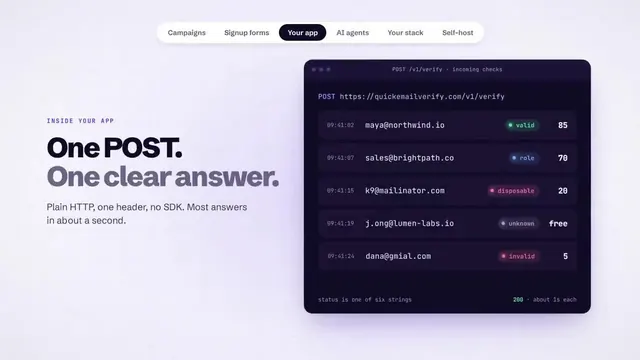
QuickEmailVerify: 보내기 전에 반송을 막는다
Khondokar MD Asiful Islam (@KmAsiff) · Claude Opus 5.5 · 3 좋아요 · 180 조회
이메일 검증 도구의 SaaS 스타일 영상. 주소 입력부터 정리된 목록까지. Opus 5.5, effort high.
프롬프트 보기(원문)
make a dynamic 20-second motion graphics video that shows what an incredible our email verify tool is, put all the use case you can imagine. go all out'
i want you to make it really modern and saas style. inspiration is yc videos and claude social videos
Orbe: 아이소메트릭 3D로 보는 일상 지출
Felipe Möller (@felipemoller) · Claude Opus 5.5 · 1 좋아요 · 246 조회
지출 관리 앱의 세로 영상. 마트, 주유소, 식당에서 각각 결제가 기록됩니다. 작성자는 프롬프트가 하나만은 아니었다고 밝혔습니다.
프롬프트 보기(원문)
Use apenas: JavaScript, Playwright e FFmpeg. Faça um vídeo moderno, elegante e impactante para meu produto (https://lp.meuorbe.com.br). Quero que simule os gastos em estabelecimentos do dia a dia, como mercado, posto de gasolina e restaurante.

Faça no formato 9:16.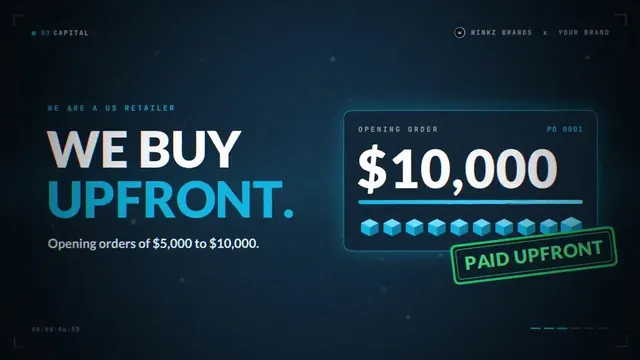
아마존 도매 사업의 피치 영상
Tyler (@ceowinkz) · Claude Opus 5.5 · 239 조회
브랜드를 향한 15초 피치. 가격 보호와 선매입 숫자가 함께 나옵니다.
프롬프트 보기(원문)
make a dynamic 15 second motion graphics video pitching my Amazon wholesale company, Winkz Enterprises, to a brand. show why they should let us sell their products. go all out.
QueryGlow: Anthropic 스타일 런칭 영상
Max (@iamMXFSCHR) · Claude Opus 5.5 · 94 조회
셀프 호스팅 데이터베이스 도구의 조용한 세리프체 영상. 작성자는 독일어로 "Anthropic처럼"을 요청했고 마지막에 음악을 더했습니다.
프롬프트 보기(원문)
nice. wir brauchen ein launch video für den release. kannst du das machen? so a la anthropic like? hab da was gelesen und der prompt war ""make a modern slick and punchy video for a modern startup that works on inference"
"""

"""
los, überrasch mich! hauptsache es geht viral
"""

"""
ja wo ist das video? i sehe nur eine .cinfig datei was als video abspielbar ist
"""

"""
können wir da noch eine trendige musik hinterlegen?
"""
로고 애니메이션과 브랜드 영상
로고, 참고 이미지, 유명 광고에서 출발한 스팅과 광고.
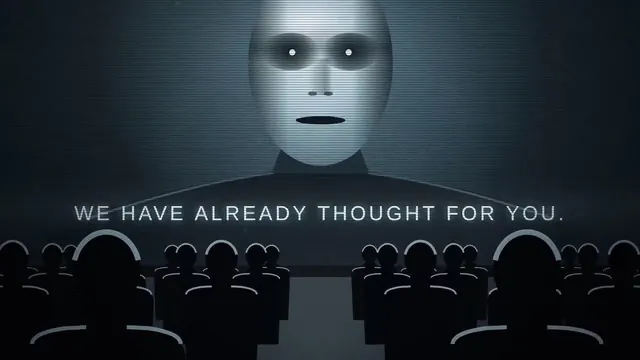
애플 '1984'를 오마주한 Opus 5.5 광고
1LittleCoder (@1littlecoder) · Claude Opus 5.5 · 56 좋아요 · 3.5천 조회
망치를 들고 달리는 사람, 줄지어 앉은 회색 군중, 스크린 속 거대한 얼굴. 모두 코드로만 만들었고, Opus는 음량까지 확인했습니다.
프롬프트 보기(원문)
create a 30 second ad for Opus 5.5 inspired by Apple 1984 ad, iykyk! avoid the border text or frames!
PayBox: 로고 하나로 만든 브랜드 스팅
Valure (@0xValure) · Claude Opus 5.5 · 35 좋아요 · 6.9천 조회
에이전트가 로고를 읽고 회사를 찾아 시나리오를 쓴 뒤 10초짜리 스팅을 한 번에 만들었습니다.
프롬프트 보기(원문)
Make this PayBox logo into a reel. Pretend you are a world-class motion designer. Make a 10-second dynamic video like the reference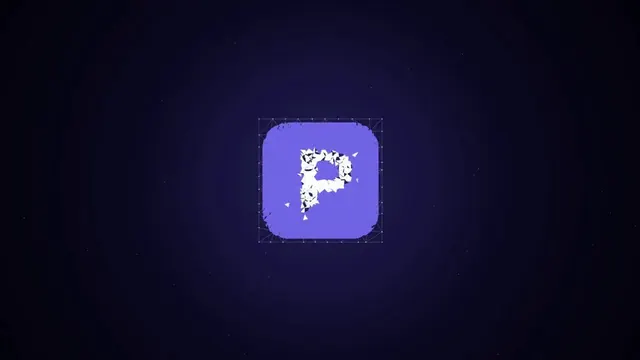
PaymentForm: 로우폴리 조각으로 맞춰지는 로고
Abdul kaioum (@Mounnna) · Claude Opus 5.5 · 2 좋아요 · 213 조회
와이어프레임 로고가 조각으로 하나씩 채워지고, 앱 아이콘이 내려앉고, 이름이 타이핑됩니다. 효과음 포함.
프롬프트 보기(원문)
Create a motion design video of a slow-reveal transition. Draw the logo as a wireframe first, then fly in faceted low-poly shards one by one until they assemble the logo. Finish by bringing in the app icon background and typing out the brand name.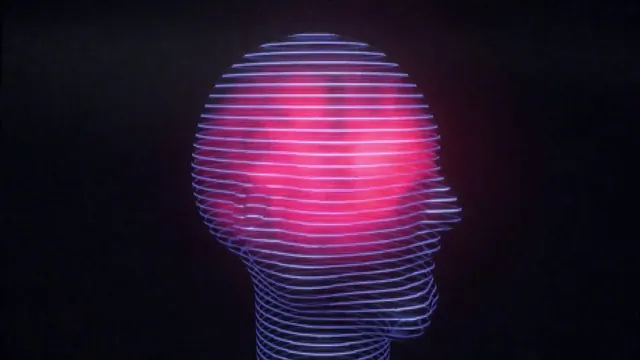
레트로 퓨처리즘 Opus 5.5 런칭 영상
John Savage (@johnsavage_ai) · Claude Opus 5.5 · 1 좋아요 · 551 조회
빛나는 줄무늬 머리에 필름 그레인과 CRT 효과. 프롬프트 하나와 스타일 참고 이미지 한 장에서.
프롬프트 보기(원문)
use this image only as a style/vibe refference image and create a Opus 5.5 launch video (20 sec long) add film grain and CRT effect, make it mesmerizing, and show off your skills as a motion designer for a retro/futuristic style launch video 16:9
쇼릴과 키네틱 타이포그래피
모션 디자이너로서 실력을 뽐내는 Opus. 글자, 루프, 순수한 움직임.
Phosphene: 사이키델릭 모션 습작
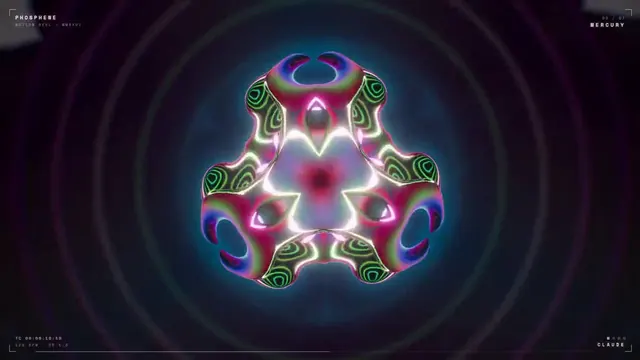
monokern (@monokern) · Claude Opus 5.5 · 57 좋아요 · 4천 조회
거대한 눈, 회전하는 터널과 만화경. 영상과 사운드 모두 Opus가 effort xhigh로 만들었고, 렌더링 90분에 총 14달러.
프롬프트 보기(원문)
make a dynamic 20-second motion graphics video that shows what an incredible motion designer you are, psychedelic and hypnotic. make it feel like a showreel piece. go all out.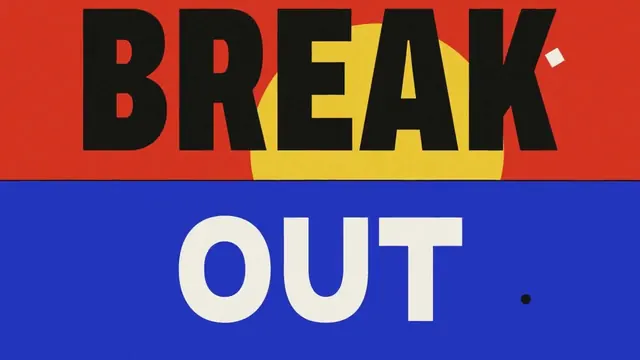
자기 틀을 깨고 나오는 포스터
Pankaj Kumar (@pankajkumar_dev) · Claude Opus 5.5 · 39 좋아요 · 4.5천 조회
빨강과 파랑의 큰 글자가 포스터를 뚫고 나옵니다. 사운드트랙도 Opus가 작곡해 모든 타격음을 비트에 맞췄습니다.
프롬프트 보기(원문)
create a motion design video of a poster breaking out of its own frame.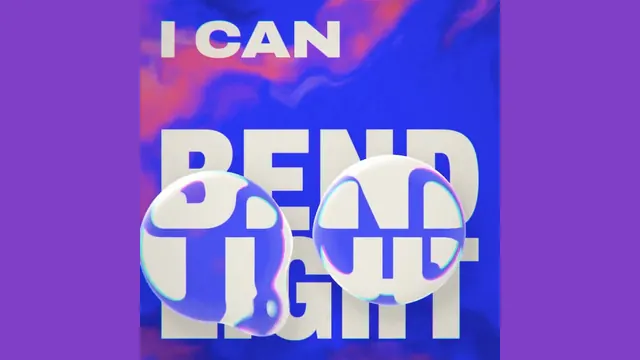
I CAN: 흐리고, 반복하고, 렌더링하고, 무리 짓고, 빛을 굽히다
Eugene C (@zheke) · Claude Opus 5.5 · 22 좋아요 · 7.6천 조회
적힌 대로 움직이는 굵은 타이틀 카드들. 프롬프트는 한 줄.
프롬프트 보기(원문)
Hello Opus 5.5 show me what an incredible motion designer you are.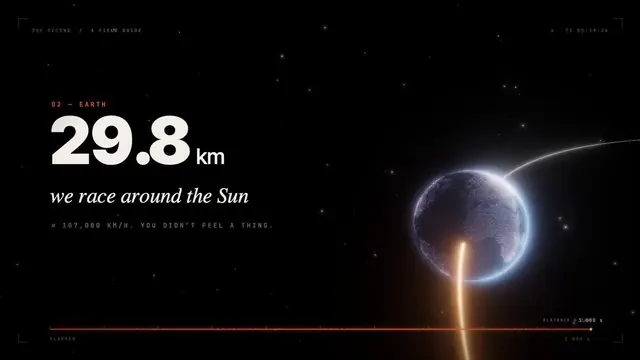
지구의 1초
Nolan Keegan (@nolkeeg) · Claude Opus 5.5 · 1 좋아요 · 368 조회
아무 방향도 주지 않자 Opus가 주제를 직접 골랐습니다. 빛이 지구를 도는 것부터 네 명의 아기가 태어나는 것까지, 1초 동안 일어나는 모든 일.
프롬프트 보기(원문)
Please do not reference any previous memories or skills. I've been seeing all of these motion graphics examples on X of people making cool videos with opus 5.5. So - I want you to just show off for me. You pick the design style, the look, subject etc. I just want to be extremely impressed by the motion graphic video that you create. I want you to destroy GPT 6 when it comes to motion graphics video - because astra just wants to give me a stupid glorified powerpoint presentation.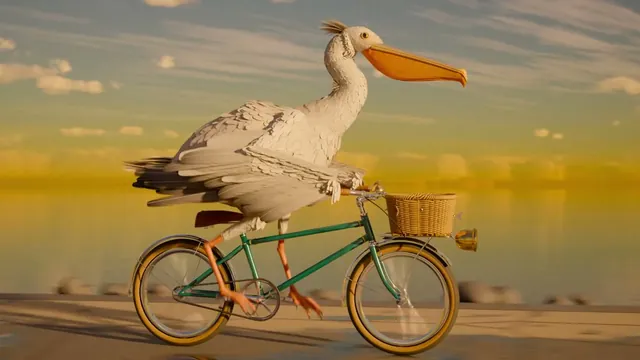
자전거 타는 펠리컨, 제대로 만들기
SugarV · Claude Opus 5.5 · 401 좋아요
SVG 펠리컨에 질린 제작자가 가장 정교한 버전을 요청했습니다. Opus 5.5가 Claude Code에서 모든 코드를 작성했습니다. Cycles로 렌더링한 Blender 장면, 12K 하늘을 만드는 Rust 구름 렌더러, 약 2만 4천 개의 깃털, 바큇살 36개와 체인 92마디의 자전거, 음악까지. 기성 모델, 텍스처, 음악은 쓰지 않았습니다.
프롬프트 보기(원문)
Every time a new model comes out, everyone has it draw "a pelican riding a bicycle" to judge its spatial ability, and it's almost always animated with HTML and SVG. I'm honestly tired of looking at them, so I want you to make the most complex, most detailed, most beautiful animated video of "a pelican riding a bicycle". You can use any technology. There's no rush; you can spend a whole day drawing it.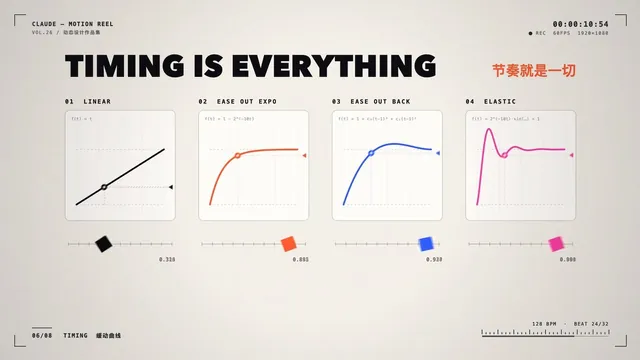
모션 디자이너 Claude: 한 문장으로 만든 15초 릴
新旧 · Claude · 2.3천 좋아요
포트폴리오 스타일의 릴. 파티클 글자, '타이밍이 전부다' 이징 곡선, 액체 같은 글자, 그리고 899프레임·8장면·키프레임 1개를 적은 주황색 엔드 카드. 프롬프트는 중국어 한 문장.
프롬프트 보기(원문)
做一段15秒的动效视频,展示你是个多么厉害的动效设计师,就像简历用的作品集,全力以赴。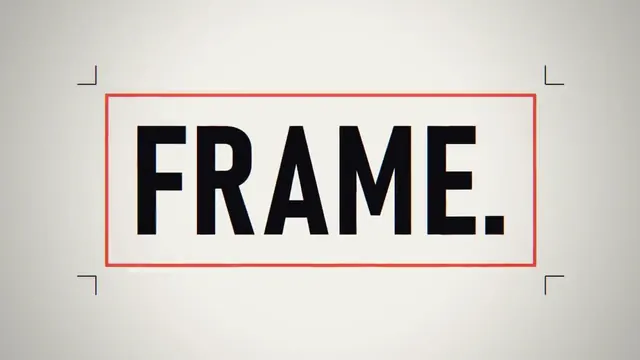
음악까지 처음부터 합성한 쇼릴
Prasenjit (@prasenx) · Claude Opus 5.5 · 206 좋아요 · 1.5만 조회
작성자는 모션 디자인을 전혀 모릅니다. Opus가 모든 프레임의 코드를 쓰고 샘플 없이 음악을 합성했습니다. Cursor에서 제작.
프롬프트 보기(원문)
make a dynamic 15-second motion graphics video that shows what an incredible motion designer you are, like it's your showreel for a résumé. go all out.

compose the soundtrack yourself, fully synthesized in code. no samples, no audio files, no VST instruments. every cut and transition must land on the beat.

1920x1080, 60fps. render the final video with the music mixed in as an MP4 and tell me where it's saved.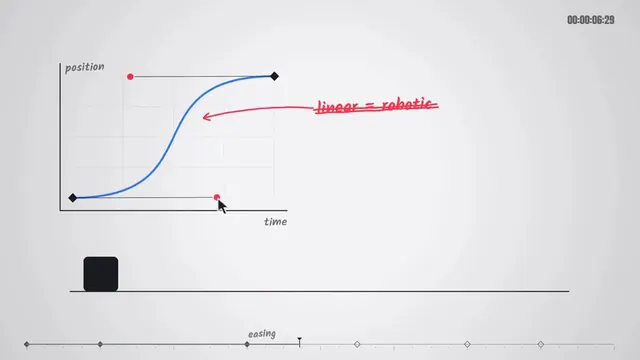
I make things move: 모션 디자이너 Claude
摸鱼巨匠 (@ChatGptAstra) · Claude Opus 5.5 · 63 좋아요 · 1만 조회
회전하고 스냅되는 글자, 이징 곡선 설명, 엔드 카드. 프롬프트는 중국어 한 문장.
프롬프트 보기(원문)
以动态设计师的高级审美,制作一段动态的15秒动态图形视频
디자이너 포트폴리오를 영상으로
Mallik Cheripally (@heyiammallik) · Claude Opus 5.5 · 4 좋아요 · 343 조회
Opus가 작성자 포트폴리오의 모든 화면과 오픈소스 작업을 살펴보고 강렬한 릴을 한 번에 만들었습니다.
프롬프트 보기(원문)
you are a pro motion designer. analyze my portfolio and make a ~30 second video from it. check what are the recent trending techniques used for motion and sound design. question your strategy and plan, if it doesn't feel like done by a pro designer, start over. every frame matters from the first frame to the final frame. go crazy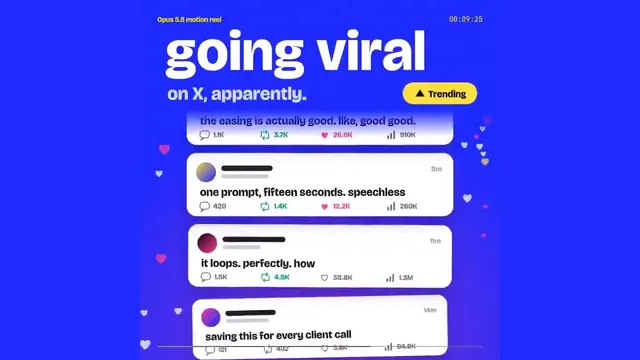
리듬, 타이포, 루프: 곡선으로 생각한다
Ishaaq Ahamed (@Ishaaqahamed) · Claude Opus 5.5 · 2 좋아요 · 529 조회
색 블록 글자가 정사각형으로 반복되고 베지어 곡선이 실시간으로 그려집니다. 키프레임 대신 수식을 쓴다는 Opus의 말 그대로.
프롬프트 보기(원문)
Make a dynamic 15-second motion graphics video that shows why [your product] is the best at [what it does], like a showreel. Go all out: 1080×1080, 1s hook, loop.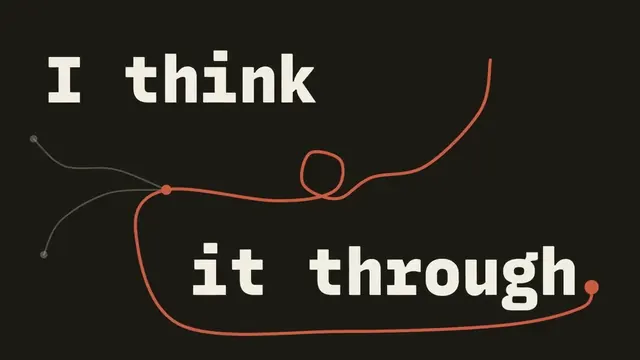
Hi, I'm Claude: Opus 5.5의 자기소개
Sourav Bhar (@souravbhar871) · Claude Opus 5.5 · 120 조회
10초짜리 글자 애니메이션. "모든 단어를 읽어요", "깊이 생각해요", "솔직하게 말해요", "함께 만들어요".
프롬프트 보기(원문)
make a dynamic 10-second motion graphics video that shows who are you as Opus 5.5 - be as creative and dynamic as possible. Avoid the frames and texts on the corners which are typical ai made giveaways!
요청한 사람에 대한 10초 영상
Madhav (@Madhav_XO) · Claude Opus 5.5 · 7 좋아요 · 241 조회
자기에 대해 아는 것으로 영상을 만들어 달라고 하자, Opus는 작성자의 일을 다룬 파티클 영상을 만들었습니다.
프롬프트 보기(원문)
make a 10 sec video on whatever you know about me
설명 영상
레시피, 역사, 컴퓨터 과학을 움직임으로 설명합니다.
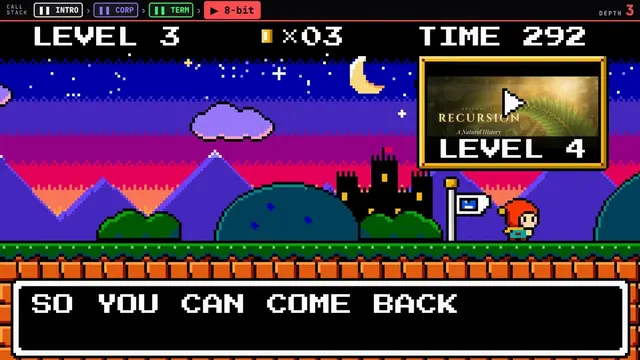
아홉 가지 장르로 설명하는 재귀
Ethan Mollick (@emollick) · Claude Opus 5.5 · 560 좋아요 · 7.2만 조회
설명이 한 단계 깊어질 때마다 스타일이 바뀌어, 레트로 게임에서 필름 누아르까지. 진짜 한 번에 나온 결과물로, 장면은 React와 SVG, 음악과 효과음은 Python으로 합성했습니다.
프롬프트 보기(원문)
A video explaining recursion, where every explanation about recursion has a radically different video style, make this self-referential & clever & fast moving.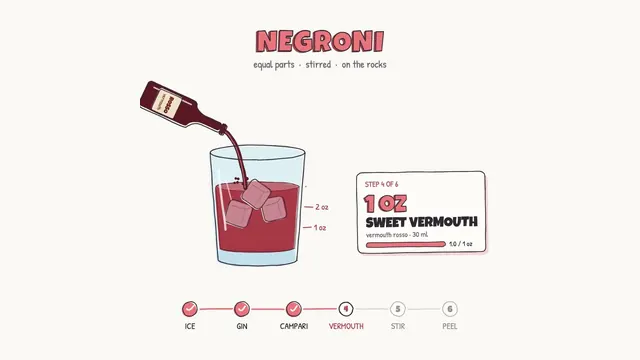
한 단계씩 만드는 네그로니
Rory Flynn (@Ror_Fly) · Claude Opus 5.5 · 1천 좋아요 · 8.1만 조회
재료를 하나씩 잔에 붓는 레시피 설명 영상. 이미지 한 장을 바탕으로 HTML로 렌더링했습니다.
프롬프트 보기(원문)
We're going to try a little test. Do you think you could render a recipe motion graphic animation using javascript or html (w/e you think will produce the best) to show the full recipe from start to finish (empty glass to completed cocktail) - Explainer video style - Showing the recipe ingreidents + measurements as they're going into the cup. Should be a 30s video.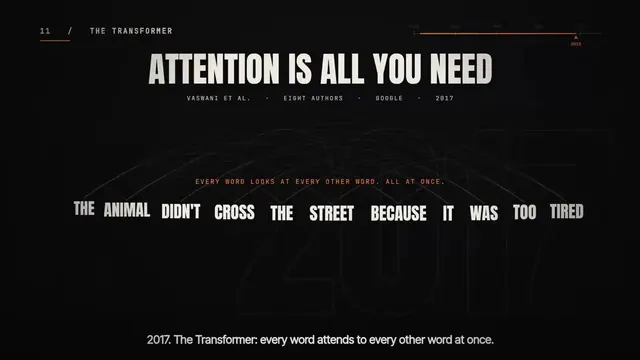
3분이 안 되는 AI의 83년
klöss (@kloss_xyz) · Claude Opus 5.5 · 197 좋아요 · 1.1만 조회
자료 조사, 대본, 애니메이션, 실제 녹음까지. 5,160프레임 전부를 Claude가 프롬프트 하나로 코드를 써서 만들었습니다.
프롬프트 보기(원문)
make a video highlighting key moments in the history of AI.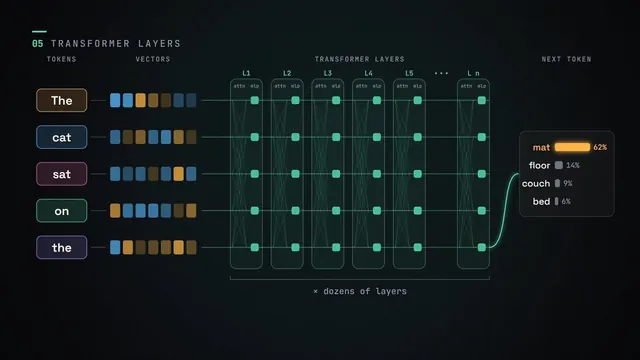
LLM의 작동 방식을 모션 그래픽으로
Matthew Berman (@MatthewBerman) · Claude Fable 5.2 · 100 좋아요 · 7.9천 조회
토큰, 임베딩, 어텐션, 트랜스포머 레이어를 각각 한 장면으로. Matthew Berman의 Fable 5.2 테스트에서.
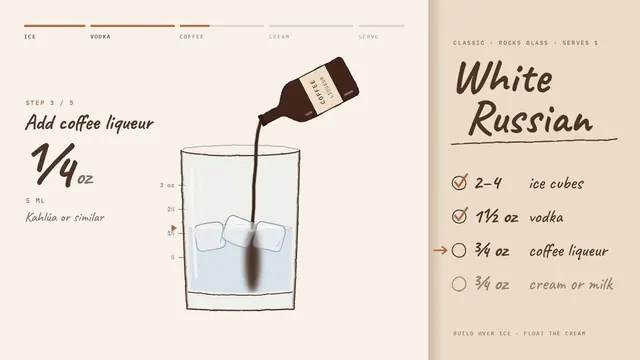
손그림 스타일의 화이트 러시안
Sarutobi Sasuke (@Sarut0biSasuke) · Claude Opus 5.5 · 22 좋아요 · 1.3천 조회
스케치 한 장과 프롬프트 하나로 약 25분 뒤 1080p MP4가 나왔습니다. SVG와 순수 JavaScript로 된 HTML 파일 하나, 애니메이션 라이브러리 없이.
프롬프트 보기(원문)
Render a recipe motion graphic animation using JavaScript or HTML (whatever you think will produce the best result) to show the full recipe for a White Russian from start to finish, empty glass to completed cocktail. Explainer video style, showing the ingredients and measurements as they go into the glass. It should be a 30s video.
더 많은 영상
영상마다 스크린샷 3장과 모든 프롬프트를 담은 전체 목록은 GitHub에 있습니다: awesome-claude-motion-video.
Claude 최신 모델로 만든 3D 세계와 단편은 GitHub의 Claude Fable 5.2 영상 모음에서, 새 모델의 변화와 Opus 5.5 비교는 Claude Fable 5.2 가이드에서 볼 수 있습니다.
자주 묻는 질문
Claude Opus 5.5로 영상을 만들 수 있나요?
네, 코드를 써서 만듭니다. 애니메이션을 웹 페이지나 Remotion 프로젝트로 만들고 한 프레임씩 MP4로 렌더링하며, 음악도 직접 합성합니다. 영상 모델처럼 화면을 생성하는 방식이 아니라서 글자, 숫자, UI가 선명합니다.
skill, Remotion, After Effects가 필요한가요?
필요 없습니다. skill 없이 평범한 Claude Code를 썼다는 작성자가 여럿입니다. 도구는 Opus가 직접 고르며, 보통 Playwright나 헤드리스 Chrome과 ffmpeg, 가끔 Remotion을 씁니다.
시간과 비용은 얼마나 드나요?
약 1분·2달러(Deedy Das)부터 effort xhigh로 렌더링 한 시간 반·14달러(monokern)까지입니다. 대부분은 프롬프트 하나로 몇 분에서 한 시간이 걸렸다고 했습니다.
음악은 어디서 오나요?
Opus가 보통 Python이나 JavaScript로 직접 작곡·합성하고 타격음을 컷에 맞춥니다. 저작권 없는 음악을 쓰라고 한 작성자도 있습니다.
이 프롬프트를 써도 되나요?
프롬프트는 작성자 본인의 것으로, 게시물에서 인용했습니다. 여러분의 제품으로 시험해 보세요. 영상 자체의 권리는 작성자에게 있습니다.
좋아요, 조회수, 프롬프트는 2026년 11월 12일 X와 샤오훙수의 원본 게시물에서 하나씩 확인했습니다.